Understanding TradingView and Its Core Features
In the fast-paced world of trading, having the right tools can make all the difference in achieving success. One of the most popular platforms among traders is TradingView, a comprehensive solution that offers advanced charting capabilities, multi-device accessibility, and real-time notifications. With its intuitive interface and powerful features, TradingView caters to both novice and seasoned traders, enabling them to analyze markets and make informed trading decisions effectively. This article delves into TradingView's core features, benefits, and best practices to help you maximize your trading experience.
What is TradingView?
TradingView is a web-based platform that provides users with access to a wealth of market data across various asset classes, including stocks, cryptocurrencies, forex, and futures. Founded with the vision of creating a social network for traders, TradingView allows users to share insights, strategies, and analyses, fostering a community of informed traders. The platform's advanced charting tools and customizable features make it an ideal choice for traders looking to conduct technical analysis and identify trading opportunities.
Key Features of TradingView Explained
- Advanced Charting Tools: TradingView offers a robust range of chart types, including line, bar, and candlestick charts, along with extensive customization options to suit individual trading styles.
- Real-time Market Data: Users have access to real-time data feeds from exchanges worldwide, ensuring they make decisions based on the most current information available.
- Alerts and Notifications: The platform allows traders to set up customizable alerts to notify them of significant price movements, technical indicators, or other market conditions that may signal a trading opportunity.
- Social Networking: Traders can follow each other, share trading ideas, and collaborate on analyses, creating a vibrant community for knowledge exchange.
- Custom Indicators and Scripts: Users can create and implement their indicators using Pine Script, TradingView's proprietary programming language, allowing for personalized trading strategies.
Benefits of Using TradingView for Traders
One of the primary advantages of using TradingView is its user-friendly interface, which makes it accessible to traders of all skill levels. Whether you are a beginner trying to understand market movements or a professional developing complex trading strategies, TradingView provides the necessary tools to enhance your trading approach. Some noteworthy benefits include:
- Cloud-Based Accessibility: TradingView is accessible from any device with an internet connection, allowing traders to analyze markets and monitor their positions on the go.
- Multi-Device Synchronization: Any changes made on one device are reflected across all platforms, ensuring a seamless trading experience.
- Robust Community Support: The social aspects of TradingView foster collaboration and learning, with access to a vast knowledge base and various trading styles and strategies from around the world.
- No Installation Required: As a web-based platform, TradingView eliminates the need for software installation, saving time and effort for users.
Getting Started with TradingView
Creating Your Account: Free vs. Paid Plans
To begin trading on TradingView, you need to create an account, which can be done for free. The platform offers various paid plans that unlock additional features and functionalities, making it essential for users to assess their individual needs. The free plan provides access to basic charting tools and limited alerts, while the paid plans offer enhanced features such as advanced charting, multiple charts in one layout, and more alerts. Users should evaluate their trading frequency and requirements to choose the appropriate plan.
Navigating the TradingView Interface
After creating an account, familiarizing yourself with the TradingView interface is the next step. The homepage features a customizable dashboard where users can add their preferred instruments, watchlists, and news feeds. The charting window can be accessed easily, allowing traders to switch between various assets quickly. Additionally, the intuitive layout enables users to access resources, tutorials, and user guides that can help enhance their experience.
Setting Up Your Trading Environment
Creating a conducive trading environment on TradingView involves customizing the chart settings to fit your trading strategy. Traders can set up their preferred chart types, colors, and indicators to streamline their analysis. Furthermore, setting up a watchlist of preferred assets allows for easy monitoring of selected markets, enhancing decision-making processes.
Utilizing TradingView's Chart Analysis Tools
Exploring Chart Types and Layouts
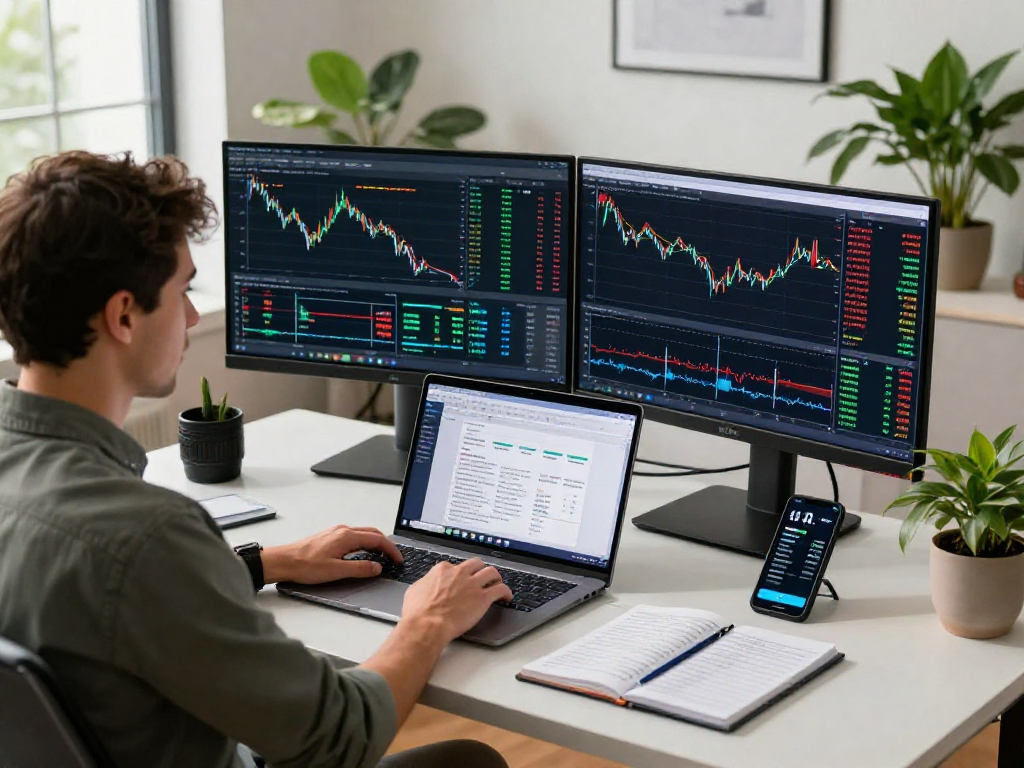
TradingView supports multiple chart types, allowing traders to visualize data in a format that suits their trading style. For instance, candlestick charts are popular among traders who focus on price action, as they provide detailed information about price movements within a specific timeframe. Furthermore, users can utilize multiple chart layouts to compare different assets side by side, enabling comprehensive market analysis.
Adding Indicators and Drawing Tools
TradingView offers a variety of technical indicators, including moving averages, RSI, MACD, and Bollinger Bands, to assist traders in analyzing market trends. Users can easily add these indicators to their charts, adjusting the settings to match their trading strategies. Additionally, drawing tools such as trend lines, Fibonacci retracement levels, and annotation features are available to facilitate more in-depth analysis and visualization of potential trading opportunities.
Customizing Chart Settings for Best Results
Customizing chart settings is crucial for maximizing the effectiveness of TradingView's analysis tools. Traders should experiment with different timeframes, from minute-based to daily charts, to determine which works best for their trading style. Moreover, adjusting the appearance of charts, such as color schemes and grid visibility, can help enhance clarity and focus during analysis.
Maximizing Alerts and Notifications
Setting Up Price and Condition Alerts
One of the standout features of TradingView is its alert system, which enables users to set up price alerts and condition-based notifications. Traders can create alerts based on specific price levels, technical indicators, or combinations of conditions, ensuring they are promptly informed of significant market movements. This proactive approach minimizes the time spent monitoring charts and helps traders focus on making informed decisions.
Leveraging Alerts for Trading Strategies
Integrating alerts into your trading strategy can significantly enhance your decision-making process. For example, setting an alert for a breakout above resistance levels can alert you to potential trading opportunities without having to constantly monitor the charts. Additionally, combining alerts with specific technical indicators allows traders to develop more nuanced strategies that account for market trends and behaviors.
Integrating Alerts Across Devices
With TradingView's multi-device synchronization, alerts can be received across all platforms, including mobile and desktop. This feature ensures traders remain informed, regardless of their location. By tailoring alert settings to send notifications via email, SMS, or directly within the app, users can choose the most convenient way to stay updated about their trading opportunities.
Best Practices for Using TradingView Effectively
Common Trading Challenges and How to Overcome Them
Traders often face various challenges, including emotional decision-making, lack of strategy, and inadequate analysis. To combat these issues, users can utilize TradingView's social networking features to learn from experienced traders and gain insights into effective strategies. Maintaining a trading journal within the platform can also help track performance and refine strategies over time, fostering continuous improvement.
Real-World Examples of Trading Success with TradingView
Many traders have achieved success by leveraging TradingView's features. For instance, a trader using the platform may identify a bullish trend on the chart and set alerts for price action confirmation. By employing risk management strategies and entering trades based on alerts, they can capitalize on favorable market conditions while minimizing losses.
Trends in Trading Technology for 2026 and Beyond
As technology continues to evolve, trading platforms are expected to incorporate advanced features such as artificial intelligence and machine learning to enhance predictive analytics and automated trading capabilities. TradingView is likely to stay at the forefront of these trends by continuously upgrading its features to provide users with an enhanced trading experience.
What Are the Limitations of TradingView?
While TradingView offers a plethora of features, it is essential to recognize its limitations. For example, some advanced functionalities and data feeds may only be available in the premium plans. Additionally, while the platform excels in technical analysis, it may not offer comprehensive fundamental analysis tools, which traders should consider when making investment decisions.
Is TradingView Suitable for Your Trading Style?
TradingView is versatile enough to cater to various trading styles, from day traders to long-term investors. However, individual preferences and trading objectives will determine whether the platform aligns with your needs. It is crucial to test the features offered in the free plan before committing to a paid subscription to ensure a good fit for your trading strategy.