
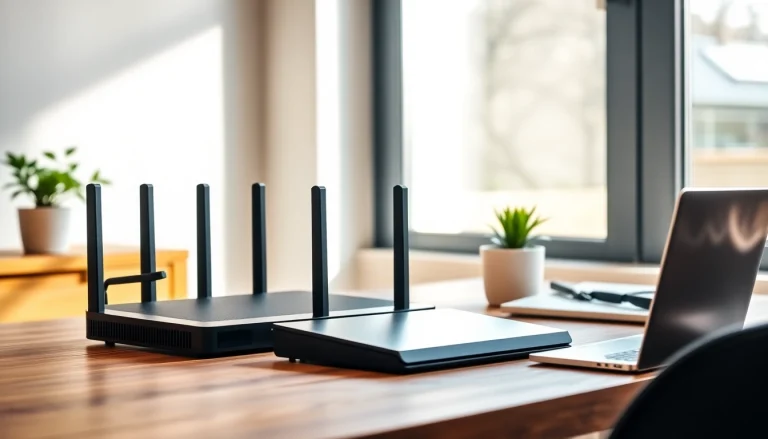
Staying safe online is more important than ever. Phones, laptops, smart TVs, watches, and other devices share your data every day. Most people protect only some devices with VPN apps, leaving others exposed. A VPN router keeps all your devices safe at the same time. When used with Urban Shield VPN, it provides privacy, fast browsing, and access to restricted content easily.
This guide explains everything you need to know about vpn router, why they matter in urban areas, how they work, and how to set up one with Urban Shield VPN.
What Is a VPN Router?
A VPN router is a Wi-Fi router that has VPN protection built in. Unlike installing VPN apps on every device, a VPN router secures all devices connected to it automatically.
Simple Explanation
All internet traffic from your devices goes through the VPN router. The router encrypts the data and sends it through a secure VPN server. This hides your IP address, location, and protects your identity online.
Why It Matters in Cities
Cities have dense networks, public Wi-Fi hotspots, and higher risks of hackers and snoopers. A VPN router ensures all your devices stay private automatically, without needing to turn on apps on each device.
How a VPN Router Works
A VPN router works in three simple steps:
- Devices connect to the router via Wi-Fi or Ethernet.
- The router encrypts all outgoing data.
- Encrypted data travels to a VPN server, which then reaches the internet securely.
Built-In vs Custom Firmware
Some routers have VPN features built-in, making setup easy for beginners. Others need special firmware like DD-WRT, Tomato, or OpenWRT. Custom firmware allows more control but may require technical knowledge.
Always-On Protection
Once the VPN router is set up, it protects all devices automatically. This prevents accidental leaks or forgetting to turn on the VPN app on individual devices.
Benefits of a VPN Router
Full Device Coverage
All devices behind the router are protected, including smart TVs, game consoles, IoT devices, and smart home gadgets.
Consistent Privacy
Everyone on your network stays secure without setting up VPN apps individually.
Easy Device Management
You can protect multiple devices at once, making it ideal for homes, offices, or apartments.
Fast Speeds
Modern VPN routers support fast protocols like WireGuard, OpenVPN, or IKEv2. Urban Shield VPN servers are optimized for speed in busy urban areas.
Access to Global Content
VPN routers allow you to switch server locations, giving access to streaming services, websites, and content restricted in your region.
Safer Public Wi-Fi
A VPN router encrypts your data even on public networks, preventing hackers from intercepting your traffic.
Why Use Urban Shield VPN With a VPN Router
Optimized Servers
Urban Shield VPN servers are built for city networks, ensuring reliable and fast internet even during peak hours.
AccessMax Technology
AccessMax helps bypass ISP throttling and local restrictions, improving connection speed and stability.
Auto-Connect Feature
The VPN starts automatically when your router powers on, giving full-time protection without extra effort.
Leak Protection
DNS, IPv6, and WebRTC leak protection stays active at the router level, increasing privacy.
Multi-Protocol Support
Urban Shield VPN works with WireGuard, OpenVPN, and IKEv2, giving a good balance of speed and security.
Do You Really Need a VPN Router?
Yes, especially if you have multiple devices or want complete privacy at home or office.
Signs You Need One
- You often forget to turn on VPN apps.
- You have smart home devices, consoles, or TVs that cannot run VPN apps.
- You live in an apartment or shared building.
- You use public Wi-Fi frequently.
- You want access to streaming or global content.
Types of VPN Routers
Pre-Configured Routers
These come ready with VPN installed. Best for beginners, though slightly more expensive.
VPN-Ready Routers
Routers with built-in VPN support, compatible with most VPN providers. Easy to set up and manage.
Custom Firmware Routers
Advanced users can install firmware like DD-WRT, Tomato, or OpenWRT for more control. Requires technical knowledge.
VPN Router vs VPN App
VPN Router
Protects all devices at once. Always-on protection. Best for homes and offices.
VPN App
Protects one device at a time. Needs to be turned on manually. Good for travel or mobile use.
How to Choose a VPN Router
Look for these features:
- Strong CPU for smooth encryption
- Support for fast VPN protocols like WireGuard or OpenVPN
- Dual-band or tri-band Wi-Fi for better speed
- Gigabit Ethernet ports for wired connections
- Easy VPN setup for beginners
- Strong range for large homes or apartments
How to Set Up Urban Shield VPN on a Router
- Log in to your router via a browser.
- Go to VPN settings or VPN Client section.
- Upload the configuration files from Urban Shield VPN.
- Enter your VPN username and password.
- Select a server location.
- Apply settings and connect. All devices are now protected automatically.
Tips for Best Performance
- Choose a nearby VPN server for faster speeds
- Use wired connections for large downloads or streaming
- Place your router in a central location for better coverage
- Use 5 GHz Wi-Fi for faster speeds and 2.4 GHz for longer range
- Keep router firmware updated for stability and security
Common Misconceptions
- “VPN routers slow down Wi-Fi” – Modern routers and WireGuard provide high speeds.
- “Only tech experts can set up a VPN router” – Many routers are easy to configure.
- “VPN routers are the same as apps” – Apps protect one device, routers protect all.
- “HTTPS is enough” – HTTPS protects the website, but a VPN protects your identity and location.
Final Thoughts
A VPN router with Urban Shield VPN is the easiest way to protect all your devices. It gives privacy, speed, and access to global content without hassle. Ideal for homes, offices, apartments, or anyone living in busy cities. Once set up, you can browse, stream, and work securely without worrying about leaks or hackers.
FAQ – People Also Ask
Is a VPN router worth it? Yes. It protects all devices automatically and keeps your identity private.
Does a VPN router slow down the internet? Modern VPN routers with strong processors and WireGuard protocol are fast. Urban Shield VPN optimizes speed.
Can I use any VPN with a router? Most routers support major VPNs, but Urban Shield VPN provides easy setup files and city-optimized servers.
What devices can connect to a VPN router? Any device that connects via Wi-Fi or Ethernet, including phones, TVs, laptops, consoles, and smart home devices.
How do I pick the best server location? Choose the closest city for speed or another country for global content access.
We cover everything in one place—don’t miss out on the latest insights.